Openlayers를 이용하여 지도를 생성해보자
openlayers?
오픈 소스 웹 브라우저에서 지도데이터를 표시하기위한 자바스크립트 라이브러리
1. Openlayers 다운로드
openlayers 최신 버전을 다운로드
실습일 기준으로 최신 버전은 v6.14.1
OpenLayers - Get the Code
If you want to try out OpenLayers without downloading anything (not recommended for production), include the following in the head of your html page:
openlayers.org
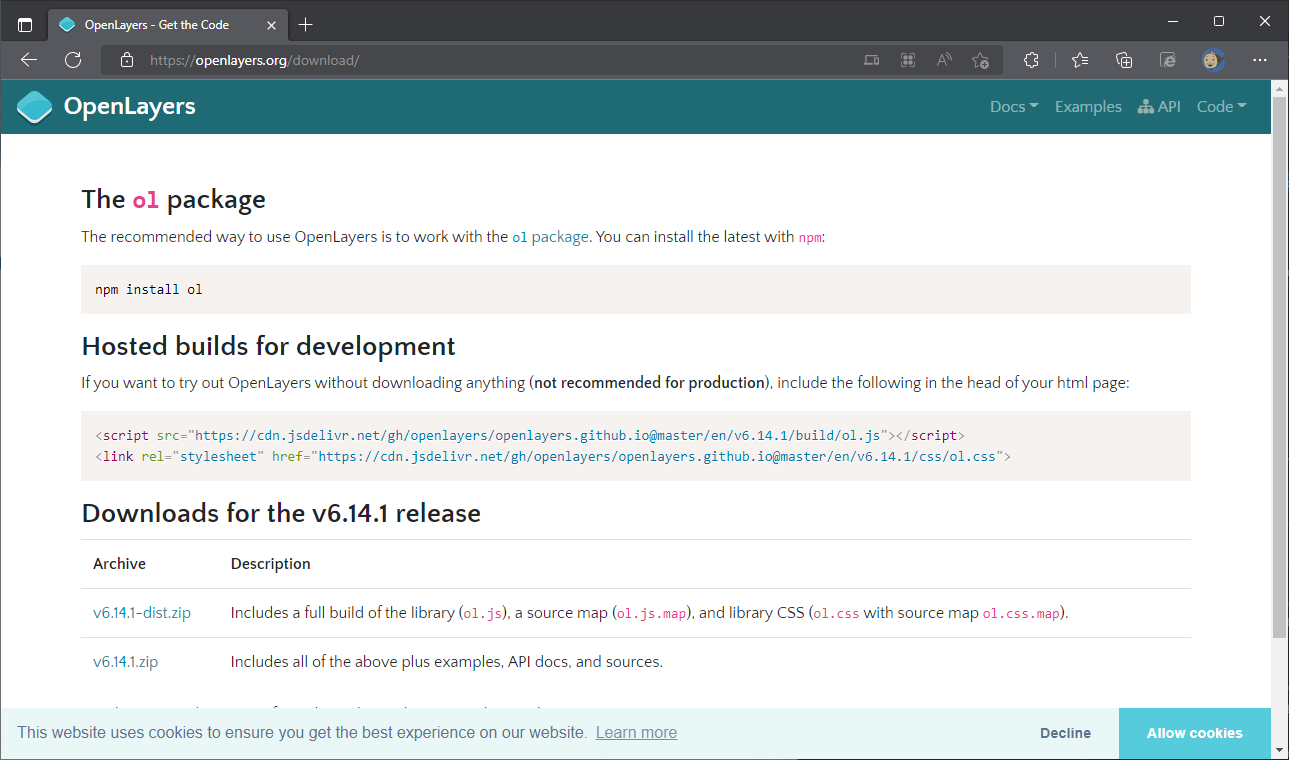
압축파일 둘중에 아무거나 다운로드 하자
압축파일이 다운로드가 싫으면
<script src="https://cdn.jsdelivr.net/gh/openlayers/openlayers.github.io@master/en/v6.14.1/build/ol.js"></script>
<link rel="stylesheet" href="https://cdn.jsdelivr.net/gh/openlayers/openlayers.github.io@master/en/v6.14.1/css/ol.css">
두줄 추가 하면 됨
2. 코드 작성
openlayers를 이용하여 vworld에서 제공하는 배경 지도를 가져온다
먼저 html 파일을 하나 작성하고 지도서비스에 사용할 div를 생성하자
<!DOCTYPE html>
<html lang="en">
    <head>
        <meta charset="utf-8">
        <style>
            .map {
                height: 400px;
                width: 100%;
            }
        </style>

        <title>맵 테스트</title>
    </head>

    <body>
        <h2>지도 테스트</h2>
        <div id="map" class="map"></div>

    </body>

</html>
그리고 다운로드 받은 openlayers를 불러온다
<link rel="stylesheet" href="ol/ol.css" type="text/css">
<script src="ol/ol.js"></script>
openlayers 라이브러리를 이용하여 vworld 배경지도를 생성
<script type="text/javascript">
    const map = new ol.Map({
        target : 'map',
        layers: [
            new ol.layer.Tile({
                 source: new ol.source.XYZ({
                     url : 'http://xdworld.vworld.kr:8080/2d/Base/202202/{z}/{x}/{y}.png'
                 })
            }),
        ],
        view: new ol.View({
            center: ol.proj.fromLonLat([129.2, 37.41]),
            projection: 'EPSG:3857',
            zoom: 7
        })

    });

</script>
최종 테스트 코드
<!DOCTYPE html>
<html lang="en">
    <head>
        <meta charset="utf-8">
        <link rel="stylesheet" href="ol/ol.css" type="text/css">
        <style>
            .map {
                height: 400px;
                width: 100%;
            }
        </style>

        <script src="ol/ol.js"></script>

        <title>맵 테스트</title>
    </head>

    <body>
        <h2>지도 테스트</h2>
        <div id="map" class="map"></div>
        <script type="text/javascript">
            const map = new ol.Map({
                target : 'map',
                layers: [
                    new ol.layer.Tile({
                         source: new ol.source.XYZ({
                             url : 'http://xdworld.vworld.kr:8080/2d/Base/202202/{z}/{x}/{y}.png'
                         })
                    }),
                ],
                view: new ol.View({
                    center: ol.proj.fromLonLat([129.2, 37.41]),
                    projection: 'EPSG:3857',
                    zoom: 7
                })

            });
        </script>
    </body>

</html>
div id와 openlayer target을 일치시키는게 중요!!
div에 width와 height를 지정해야함
Leaflet를 이용하여 지도를 생성해보자
Leaflet??
웹 매핑 어플리케이션을 빌드하기 위해 사용되는 오픈소스 자바스크립트 라이브러리
Openlayers와 비슷함
개발자가 우크라이나 사람인듯.. .ㅠㅠ
1. Leaflet 다운로드
글 작성일 기준 최신버전 - 1.8.0
최신버전을 다운로드
https://leafletjs.com/download.html
Download - Leaflet - a JavaScript library for interactive maps
an open-source JavaScript library for mobile-friendly interactive maps Download Leaflet Version Description Leaflet 1.8.0 Stable version, released on April 18, 2022. Leaflet 1.7.1 Previous stable version, released on September 3, 2020. Leaflet 1.8-dev In-p
leafletjs.com
다운로드가 귀찮으면 소스코드에 두줄 추가
<link rel="stylesheet" href="https://unpkg.com/leaflet@1.8.0/dist/leaflet.css" integrity="sha512-hoalWLoI8r4UszCkZ5kL8vayOGVae1oxXe/2A4AO6J9+580uKHDO3JdHb7NzwwzK5xr/Fs0W40kiNHxM9vyTtQ=="   crossorigin=""/>
<script src="https://unpkg.com/leaflet@1.8.0/dist/leaflet.js" integrity="sha512-BB3hKbKWOc9Ez/TAwyWxNXeoV9c1v6FIeYiBieIWkpLjauysF18NzgR1MBNBXf8/KABdlkX68nAhlwcDFLGPCQ==" crossorigin=""></script>
Leaflet 사용하려면 Proj4도 추가해야 함
Proj4 ??
Proj4는 지도 제작 투영 간의 변환을 수행하기 위한 라이브러리
좌표계 변환시 사용
https://github.com/proj4js/proj4js
GitHub - proj4js/proj4js: JavaScript library to transform coordinates from one coordinate system to another, including datum tra
JavaScript library to transform coordinates from one coordinate system to another, including datum transformations - GitHub - proj4js/proj4js: JavaScript library to transform coordinates from one c...
github.com
leaflet용 proj4
https://github.com/kartena/Proj4Leaflet/releases
Releases · kartena/Proj4Leaflet
Smooth Proj4js integration with Leaflet. Contribute to kartena/Proj4Leaflet development by creating an account on GitHub.
github.com
전부 다 다운로드 받고 한 폴더에 몰아 넣음

2. 소스코드 작성
Leaflet을 이용하여 다음지도를 생성해보자
html 파일을 하나 작성하고 div를 생성
다운로드 받은 자바스크립트 라이브러리를 가져온다
<!DOCTYPE html>
<html lang="en">
    <head>
        <meta charset="utf-8">
        <link rel="stylesheet" href="leaflet/leaflet.css" type="text/css">
        <style>
            .map {
                width: 800px;
                height: 600px;
            }
        </style>

        <script src="leaflet/leaflet.js"></script>
        <script src="leaflet/proj4.js"></script>
        <script src="leaflet/proj4leaflet.js"></script>

        <title>맵 테스트</title>
    </head>

    <body>
        <h2>지도 테스트</h2>
        <div id="map" class="map"></div>
    </body>

</html>
leaflet를 이용하여 배경 지도를 생성
다음지도는 EPSG:5181 좌표계를 사용하기 때문에 CRS를 설정해줘야함
<script>

    //다음지도 좌표계 정의
    L.Proj.CRS.Daum = new L.Proj.CRS(
        'EPSG:5181',
        '+proj=tmerc +lat_0=38 +lon_0=127 +k=1 +x_0=200000 +y_0=500000 +ellps=GRS80 +towgs84=0,0,0,0,0,0,0 +units=m +no_defs',
        {
        resolutions: [2048, 1024, 512, 256, 128, 64, 32, 16, 8, 4, 2, 1, 0.5, 0.25],
        origin: [-30000, -60000],
        bounds: L.bounds([-30000-Math.pow(2,19)*4, -60000], [-30000+Math.pow(2,19)*5, -60000+Math.pow(2,19)*5])
        }
    );

    const leafletMap = new L.Map('map', {
        center: [37.5655176211768, 126.9779055869897],
        crs: L.Proj.CRS.Daum,
    }).setView([37.5655176211768, 126.9779055869897], 7);


    let baseMap = new L.tileLayer("http://map{s}.daumcdn.net/map_2d/2103dor/L{z}/{y}/{x}.png" ,{
        maxZoom: 13,
        minZoom: 0,
        zoomReverse: true,
        zoomOffset: 1,
        subdomains: '0123',
        continuousWorld: true,
        tms: true,
    });

    baseMap.addTo(leafletMap);

</script>
전체 코드
<!DOCTYPE html>
<html lang="en">
    <head>
        <meta charset="utf-8">
        <link rel="stylesheet" href="leaflet/leaflet.css" type="text/css">
        <style>
            .map {
                width: 800px;
                height: 600px;
            }
        </style>

        <script src="leaflet/leaflet.js"></script>
        <script src="leaflet/proj4.js"></script>
        <script src="leaflet/proj4leaflet.js"></script>

        <title>맵 테스트</title>
    </head>

    <body>
        <h2>지도 테스트</h2>
        <div id="map" class="map"></div>

        <script>
            //다음지도 좌표계 정의
            L.Proj.CRS.Daum = new L.Proj.CRS(
                'EPSG:5181',
                '+proj=tmerc +lat_0=38 +lon_0=127 +k=1 +x_0=200000 +y_0=500000 +ellps=GRS80 +towgs84=0,0,0,0,0,0,0 +units=m +no_defs',
                {
                resolutions: [2048, 1024, 512, 256, 128, 64, 32, 16, 8, 4, 2, 1, 0.5, 0.25],
                origin: [-30000, -60000],
                bounds: L.bounds([-30000-Math.pow(2,19)*4, -60000], [-30000+Math.pow(2,19)*5, -60000+Math.pow(2,19)*5])
                }
            );

            const leafletMap = new L.Map('map', {
                center: [37.5655176211768, 126.9779055869897],
                crs: L.Proj.CRS.Daum,
            }).setView([37.5655176211768, 126.9779055869897], 7);


            let baseMap = new L.tileLayer("http://map{s}.daumcdn.net/map_2d/2103dor/L{z}/{y}/{x}.png" ,{
                maxZoom: 13,
				minZoom: 0,
				zoomReverse: true,
				zoomOffset: 1,
				subdomains: '0123',
				continuousWorld: true,
				tms: true,
            });

            baseMap.addTo(leafletMap);

        </script>

    </body>

</html>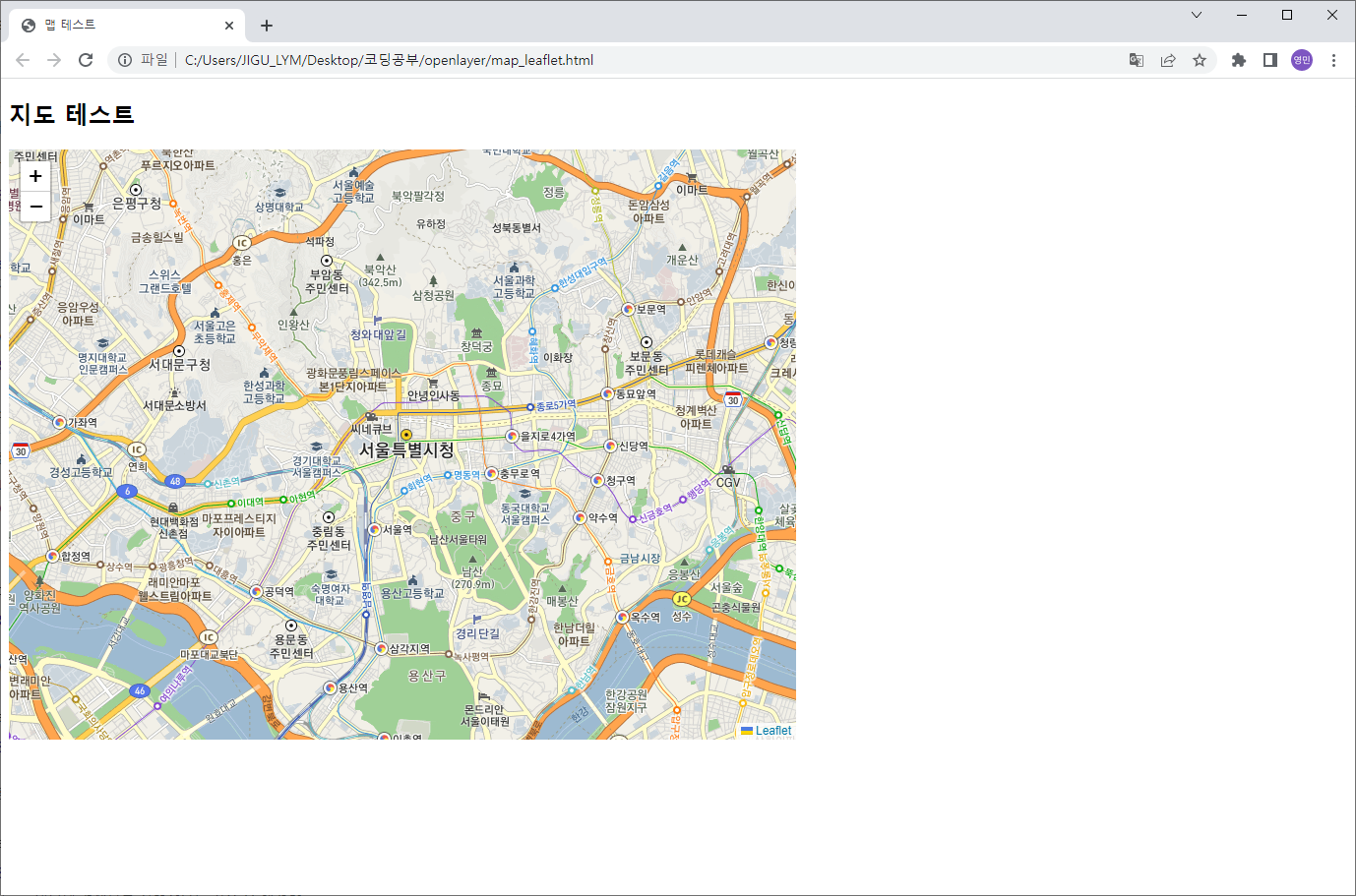
다음 배경지도가 잘 생성되었다.
※ Leaflet TileLayer 옵션 중에 tms가 활성화 되어야만 지도가 정상적으로 출력이 된다
다음 지도를 이용할때는 꼭 tms 옵션을 활성화 하자